Contents
This is sample teaching content. Publication dates and transaction records are illustrative.
A scheduler answers when work should start and which tasks must finish first. It cannot decide whether repeating a write is safe. This Airflow 3.1.6 example uses the public airflow.sdk interface to demonstrate dependency order with a tiny in-memory sample.
Define a batch dependency
from datetime import datetime, timedelta, timezone
from airflow.sdk import DAG, task

with DAG(
    dag_id='sample_transaction_check',
    start_date=datetime(2026, 1, 1, tzinfo=timezone.utc),
    schedule='@daily',
    catchup=False,
    default_args={'retries': 2,
                  'retry_delay': timedelta(minutes=2)},
) as dag:
    @task
    def extract():
        return [{'transaction_id': 'T-10', 'amount': '12.50'}]

    @task
    def check(rows):
        if any(not row['transaction_id'] for row in rows):
            raise ValueError('Missing transaction identifier')
        return len(rows)

    @task
    def publish(row_count):
        print(f'Validated sample rows: {row_count}')

    publish(check(extract()))
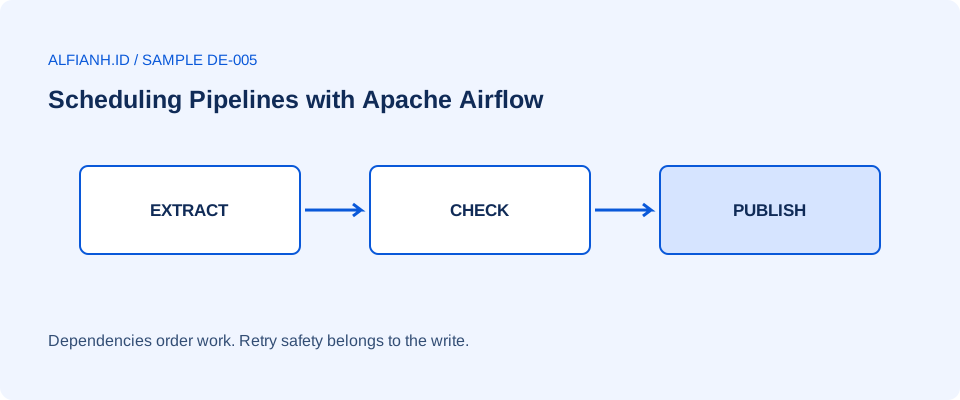
Returned task values create dependencies: check waits for extract, and publish waits for check. This example only prints a count. In a real pipeline, publication would promote a validated batch or upsert into a destination. That write must tolerate a retry without adding duplicate rows.
Understand intervals and retries
In Airflow 3.1.6, cron schedules such as @daily use a trigger timetable by default because create_cron_data_intervals defaults to False. Do not assume this example automatically represents yesterday's batch. A data-interval timetable instead schedules a run after its interval has ended. Choose that timetable or an explicit stable batch window when your source needs bounded daily input.
start_date is a scheduling boundary, not a command to immediately execute at that timestamp. Select source records using the chosen stable window; querying the current wall clock can produce different results on retry.
retries=2 permits two retries after the first failed attempt. A network timeout may recover; a violated schema usually needs an upstream fix. Record the batch identifier and error so an operator can distinguish those cases. Do not turn a failed validation into an empty successful batch.
catchup=False prevents the scheduler from automatically creating every historical interval when this DAG is enabled. It does not repair missing historical data. Plan an explicit backfill with checked intervals when recovery requires one.
Keep task messages small
The returned list travels through Airflow task messaging and is suitable only for this demonstration. For real datasets, pass a durable storage location and batch metadata instead of all rows. Store credentials in the deployment's connection or secret system, never in DAG source. Test scheduling, imports, and destinations in your installed Airflow environment before enabling writes.